
Loading Tymon Ng's website

The Works

I built these apps to fix my real-life problems, save money and increase my productivity.

lines of code in these 11 apps, across 543 files, and AI wrote every one of them.

I came up with each idea and decided how it should work. Claude, an AI made by Anthropic, wrote all of the code. The number is counted from the code on GitHub every day, so it grows as the apps do.

  • JavaScript38%
  • Kotlin14%
  • HTML11%
  • CSS9%
  • TypeScript7%
  • Java6%
  • Rust6%
  • Python4%
  • Go3%
  • Shell<1%
  • C#<1%
  • Swift<1%
  • Firebase rules<1%
  • Gradle<1%

Counted as non-blank lines in the source files. Third-party code, generated files and finished app builds are left out.

How each app gets made

  1. The idea

    I come up with each app, usually to fix something that wastes my own time.

  2. How it works

    I decide how it should work and what it should feel like to use.

  3. The code

    Claude, an AI made by Anthropic, writes all of it. Every line.

  4. The release

    It goes up on GitHub with a download, and on the web for iPhone where it can. The line count on this page is refreshed from there every day.

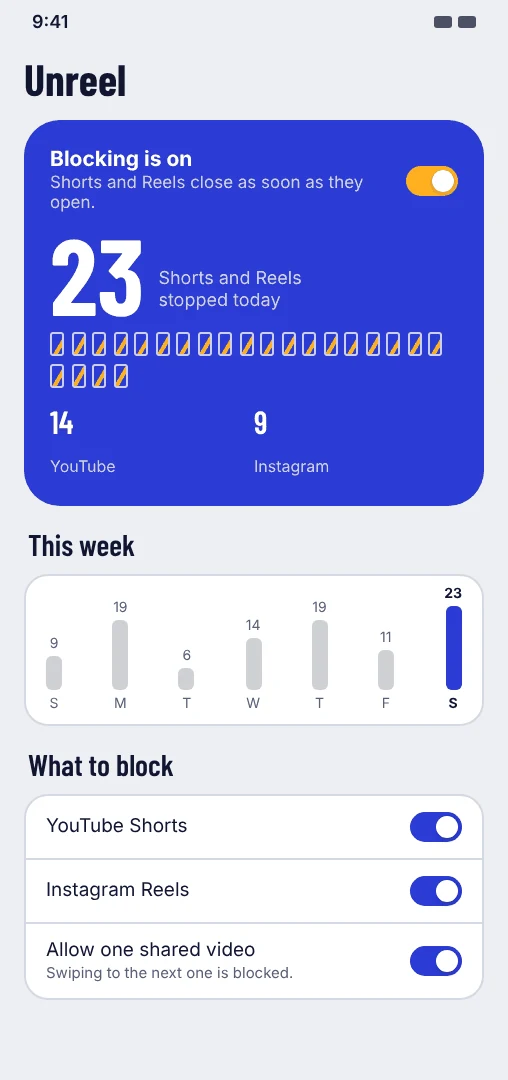
Unreel: see how it works

Blocks YouTube Shorts and Instagram Reels, and leaves the rest of both apps alone.

Why I built it

I was hooked on Reels, and the endless scroll was what kept me there. There are apps that stop it, but none of them are free. So I made my own, to save the money, cut down the scrolling and get a better balance between social media and the rest of my life.

Runs on
Android 8 and later, plus Safari on iPhone, iPad (iOS 15 and later) and Mac, and Chrome, Firefox or Edge on a computer
Built with
Kotlin, React Native (Expo), Swift, JavaScript
Code
9,040 lines in 81 files
  • Kotlin44%
  • TypeScript25%
  • JavaScript10%
  • HTML9%
  • Swift7%
  • CSS3%
  • Shell<1%
  • Python<1%
  • Gradle<1%
Unreel dashboard: blocking is on, 23 Shorts and Reels stopped today, with a chart of the week

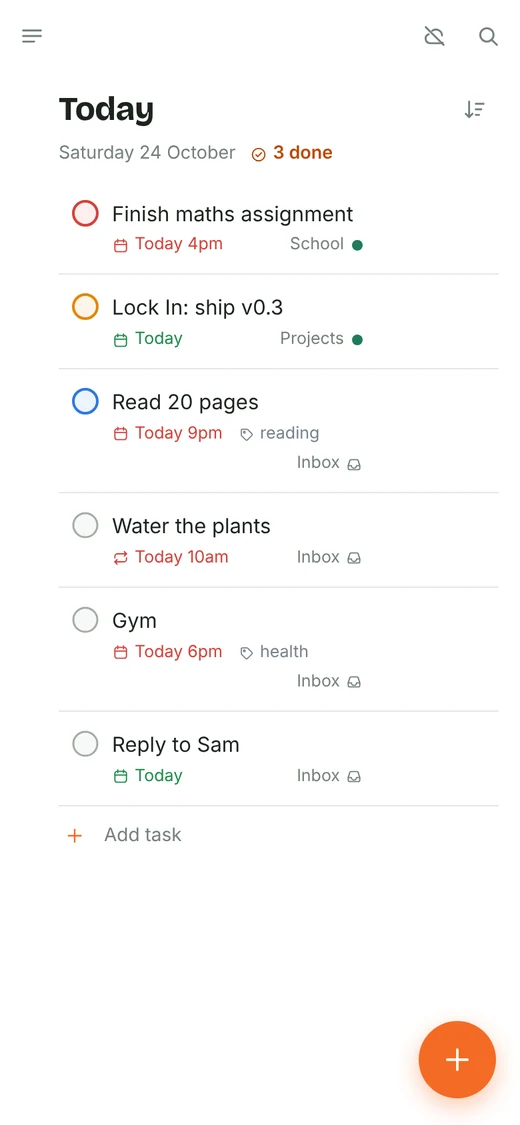
Checkmate: see how it works

A to-do list and a calendar in one app, on Windows, Android, Chrome, Edge and the web.

Why I built it

I used to use Todoist, but a lot of it is locked behind the paid plan, including the calendar. So I built my own to replace it, and added some game elements so getting through my tasks feels more like playing a game.

Runs on
Any web browser, Windows 10 and 11, Android 7 and later, Chrome and Edge 116 and later
Built with
Preact, Firebase, Go, Java, Cloudflare Workers
Code
32,760 lines in 183 files
  • JavaScript75%
  • CSS17%
  • Java4%
  • Go4%
  • Shell<1%
  • Python<1%
  • HTML<1%
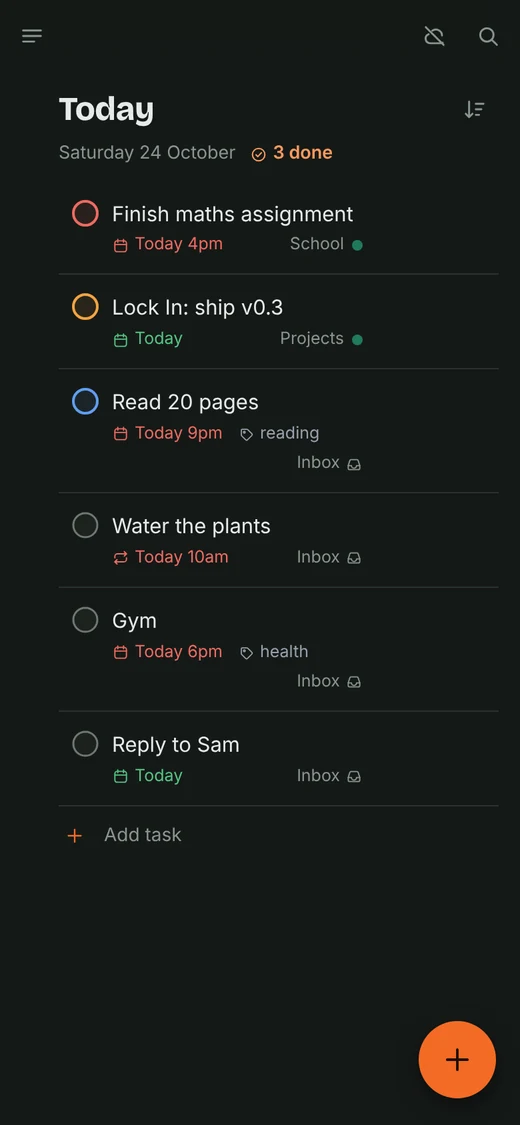
Checkmate's Today view with six tasks, including a maths assignment due at 4pmCheckmate's Today view with six tasks, including a maths assignment due at 4pm

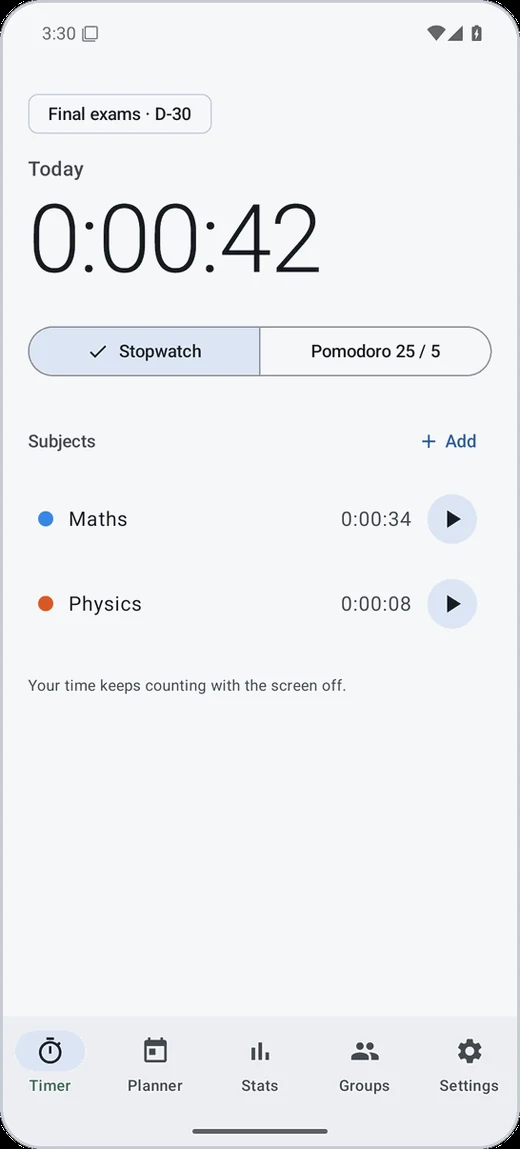
Lock In: see how it works

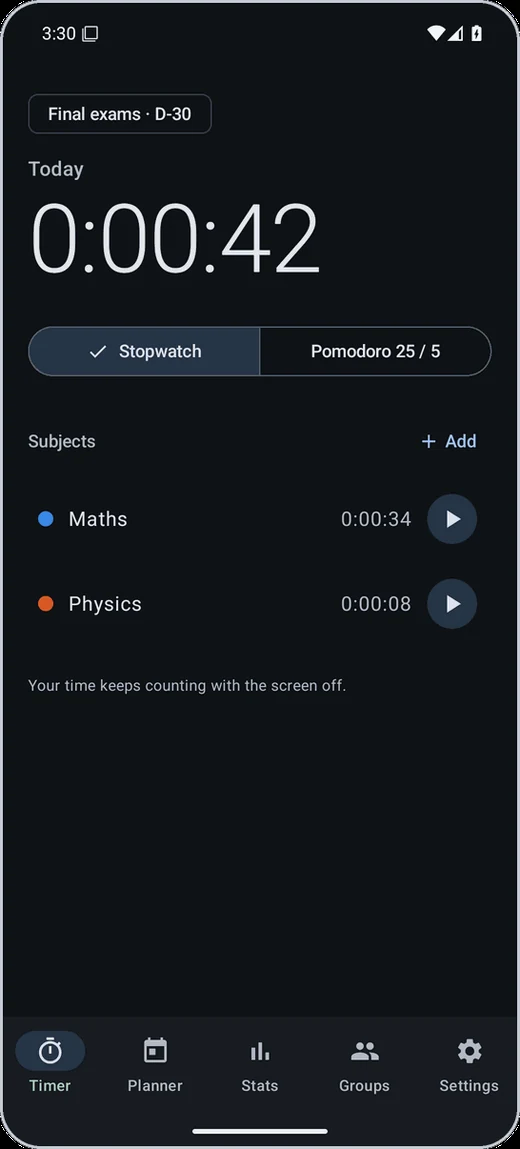
A study timer, planner and app blocker for students, on Android and iPhone.

Why I built it

Another app to help me focus on my work. While the timer is running, I can only open the few apps I've allowed, so there's nothing to drift off to.

Runs on
Android 8 and later, plus iPhone and iPad (iOS 16 and later) and any computer as a web app
Built with
Kotlin, Jetpack Compose, Room, Firebase, TypeScript, Preact
Code
15,996 lines in 131 files
  • Kotlin55%
  • TypeScript32%
  • CSS7%
  • JavaScript3%
  • Shell1%
  • HTML1%
  • Firebase rules<1%
Lock In's timer: 42 seconds studied today, with Maths and Physics ready to startLock In's timer: 42 seconds studied today, with Maths and Physics ready to start

DCF Calculator: see how it works

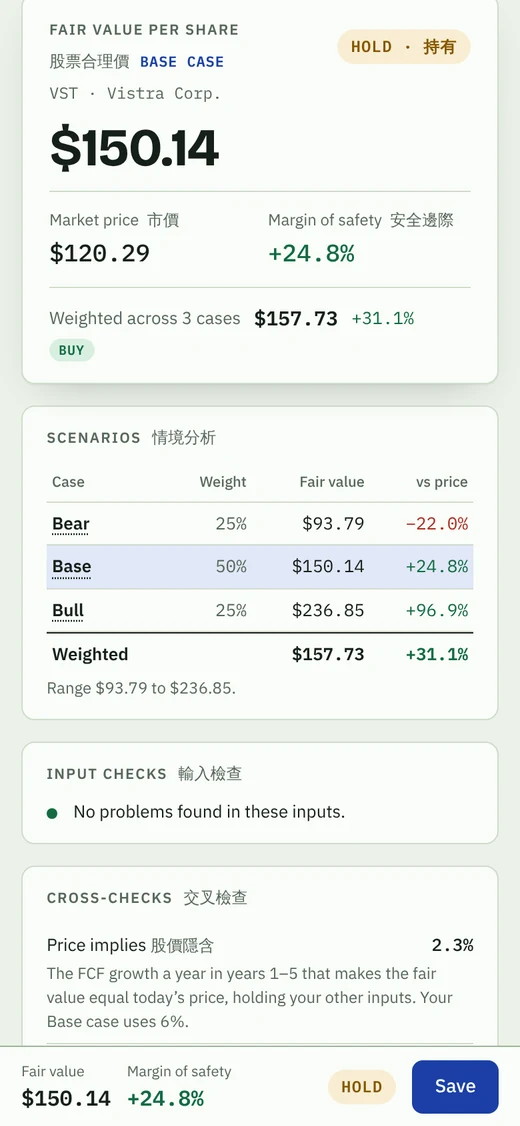
A stock valuation calculator that works out what one share is really worth, from the cash the company should bring in over the next ten years.

Why I built it

I built it to help with my investment plan. Before I buy a stock, I want to know roughly what it's worth, not just what it costs today. I started with a DCF spreadsheet, and wanted something that's easier to fill in correctly, keeps a history of every stock I value, and lets Claude look up the numbers for me.

Based on the DCF valuation spreadsheet by Nick 美股咖啡館 on YouTube. Thank you, Nick!

Runs on
Any modern web browser, on a computer or a phone, as one file, plus inside claude.ai
Built with
JavaScript, HTML and CSS, Firebase, Cloudflare Workers, Claude
Code
5,568 lines in 13 files
  • HTML56%
  • JavaScript44%
  • Shell<1%
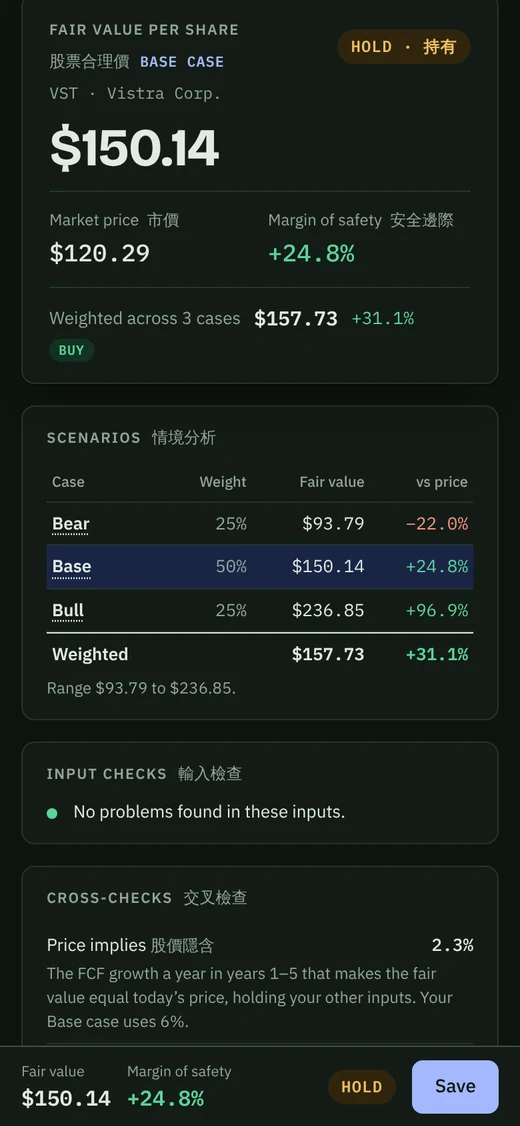
DCF Calculator valuing Vistra: a fair value of $150.14 a share against a price of $120.29, and $157.73 weighted across the bear, base and bull casesDCF Calculator valuing Vistra: a fair value of $150.14 a share against a price of $120.29, and $157.73 weighted across the bear, base and bull cases

B-Side: see how it works

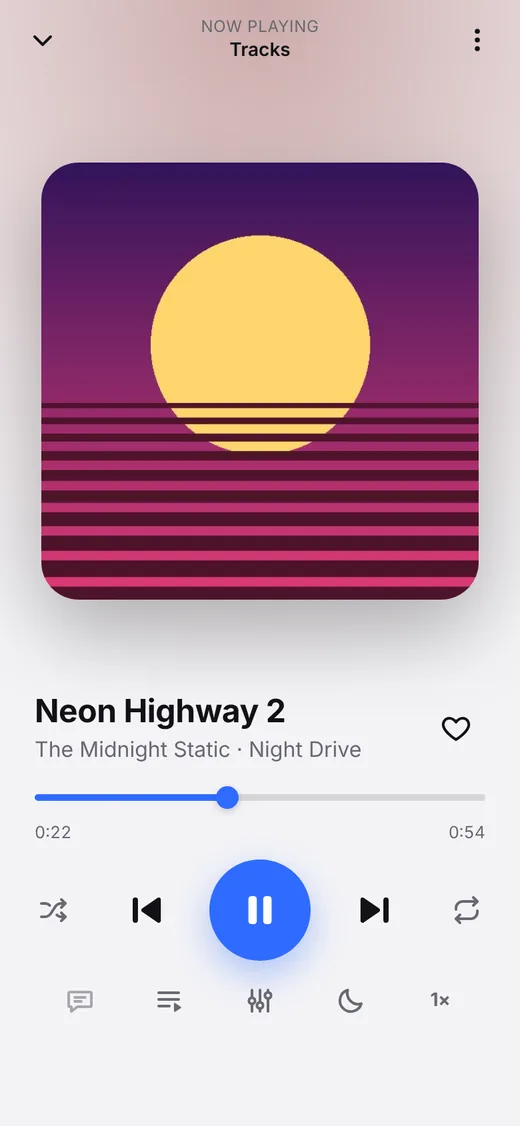
A music player for the songs you already own, without uploading a single one.

Why I built it

Basically a normal music player, but with a nicer look and a few touches from the games I love.

Runs on
Android 7 and later, plus any modern web browser
Built with
JavaScript, Web Audio, IndexedDB, Java
Code
10,723 lines in 24 files
  • HTML47%
  • Java34%
  • CSS12%
  • JavaScript5%
  • Python2%
  • Shell<1%
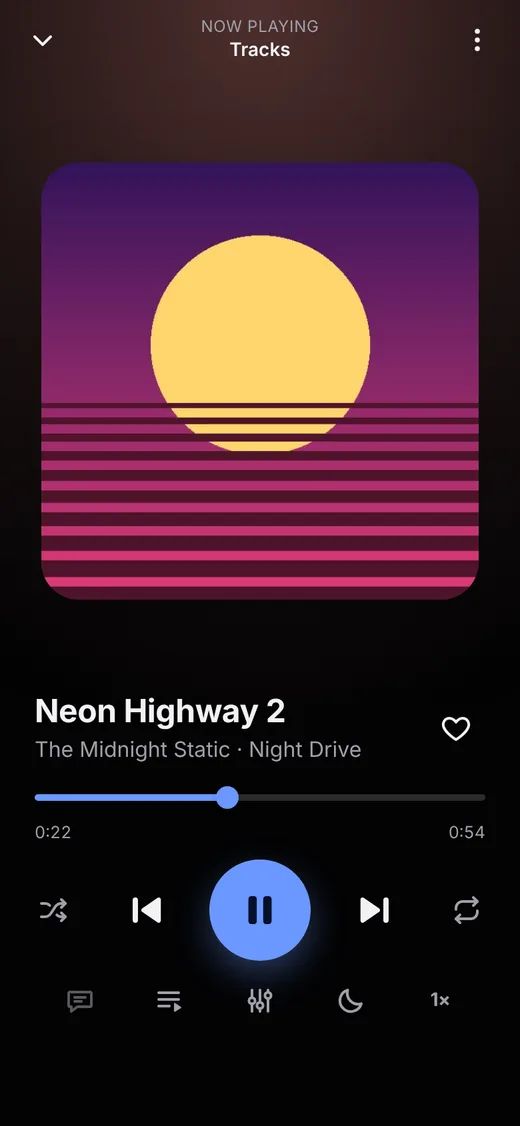
B-Side's Now Playing screen: Neon Highway 2 by The Midnight Static, 22 seconds into the songB-Side's Now Playing screen: Neon Highway 2 by The Midnight Static, 22 seconds into the song

DockCast: see how it works

Puts your Nintendo Switch, Switch 2, Samsung phone or tablet, or anything else with HDMI on your Windows PC's screen, with sound.

Why I built it

Normally you connect a Switch to a monitor with an HDMI cable. But the spot where I keep my Switch is far from my monitor, and running a cable straight across would make my room a mess. So I made an app that shows the Switch on my PC, and my PC then projects it to the monitor wirelessly. Everything is connected, and my room stays tidy.

Runs on
Windows 10 and 11, as an app or as one file you open in Edge or Chrome
Built with
Rust, JavaScript, HTML and CSS, Media Capture and Web Audio APIs, Windows Bluetooth APIs (WinRT)
Code
5,133 lines in 15 files
  • Rust64%
  • HTML36%
  • Shell<1%

Windows only, and you'll need a USB HDMI capture card: a PC's own HDMI port can only send a picture out.

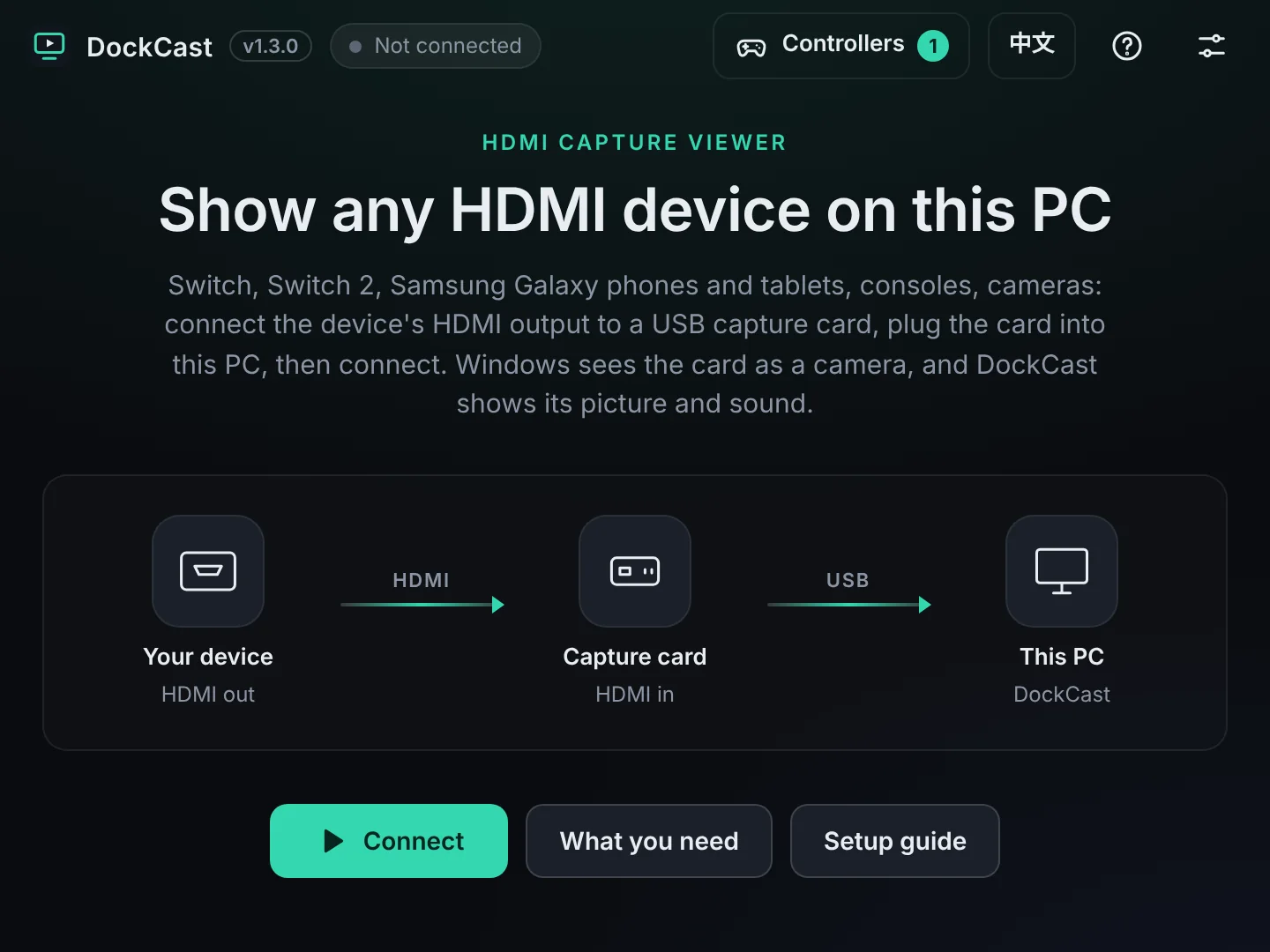
DockCast's start screen: Show any HDMI device on this PC, with a device going over HDMI to a capture card and over USB to the PC, and a Connect button

Switch Controller Connector: see how it works

Connects Nintendo Switch controllers to a Windows PC, even the ones Windows won't reconnect.

Why I built it

Connecting my Nintendo Switch controller to my PC was a disaster every single time. That's why this exists.

Runs on
Windows 10 and 11 only
Built with
Rust, Windows Bluetooth APIs (WinRT), native-windows-gui
Code
2,449 lines in 6 files
  • Rust100%

Windows only. There's no version for Mac, Linux, Android or iPhone.

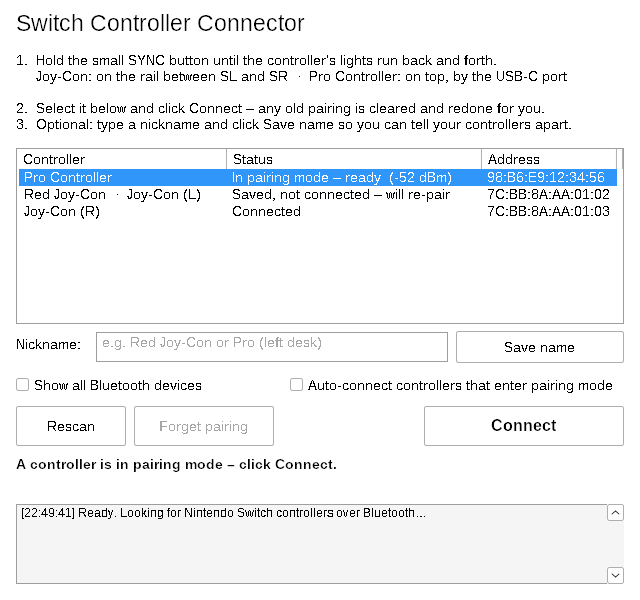
Switch Controller Connector listing a Pro Controller in pairing mode and two Joy-Con, with Connect, Rescan and Forget pairing buttons

CyberVault: see how it works

An encrypted vault for logins, ID numbers, bank cards and document photos, on Windows, Android and the web.

Why I built it

A simple, safe place for my passwords and personal details. A lot of people, me included, keep that kind of thing in apps that were never made for it, like Notion, where it's far too easy for someone else to get to.

Runs on
Windows 10 and 11, Android 7 and later, plus iPhone, Mac, Linux and Chromebook as a web app
Built with
JavaScript, Web Crypto, Firebase, Go, Java
Code
6,585 lines in 18 files
  • JavaScript73%
  • CSS10%
  • Java6%
  • Go6%
  • Shell4%
  • HTML<1%
  • Firebase rules<1%

Every version needs your own free Firebase project. Setting it up takes about 15 minutes, and the app walks you through it.

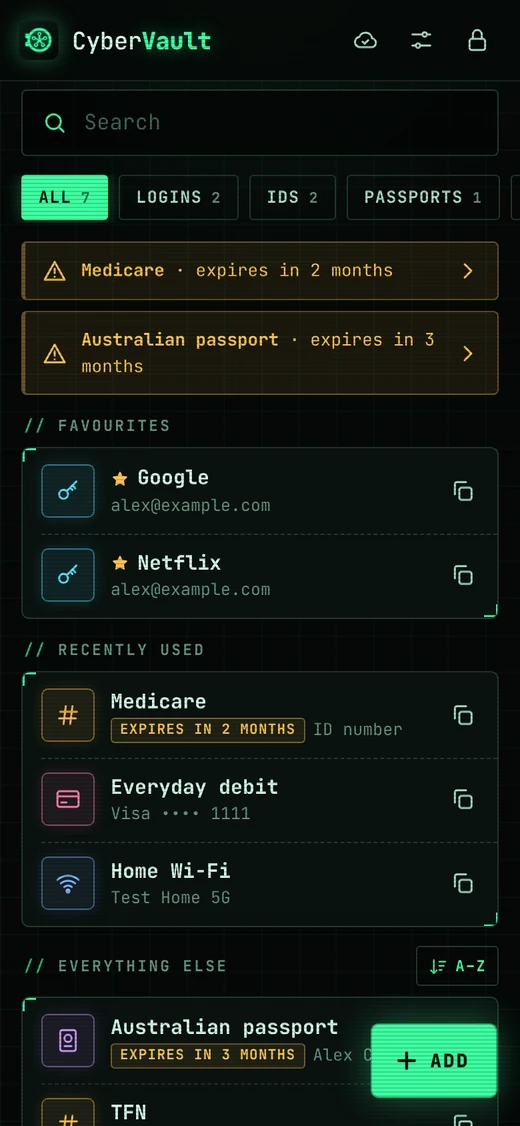
CyberVault's vault list: expiry warnings for Medicare and a passport, Google and Netflix in favourites, and recently used items

PyNotebook: see how it works

Opens Jupyter notebooks and runs their Python on your own phone or computer, with no server.

Why I built it

A quick way to open Python files, Jupyter notebooks and Markdown, without setting anything up first.

Runs on
Android 7 and later, Windows 10 and 11, plus Edge or Chrome on any computer as a single HTML file
Built with
JavaScript, Pyodide (Python in WebAssembly), CodeMirror, Go, Java
Code
12,681 lines in 54 files
  • JavaScript47%
  • Python29%
  • Go8%
  • CSS8%
  • Java6%
  • Shell<1%
  • HTML<1%
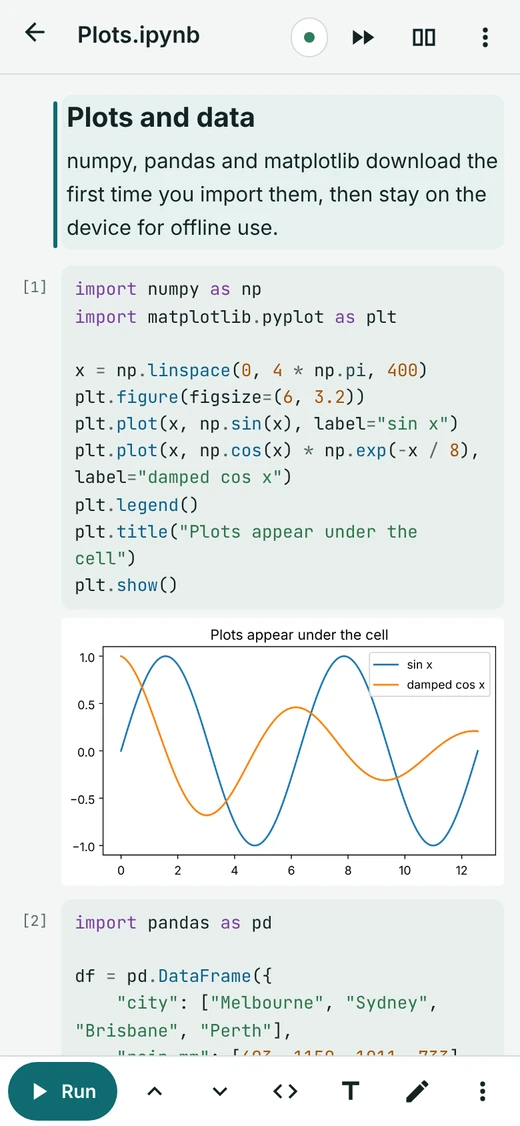
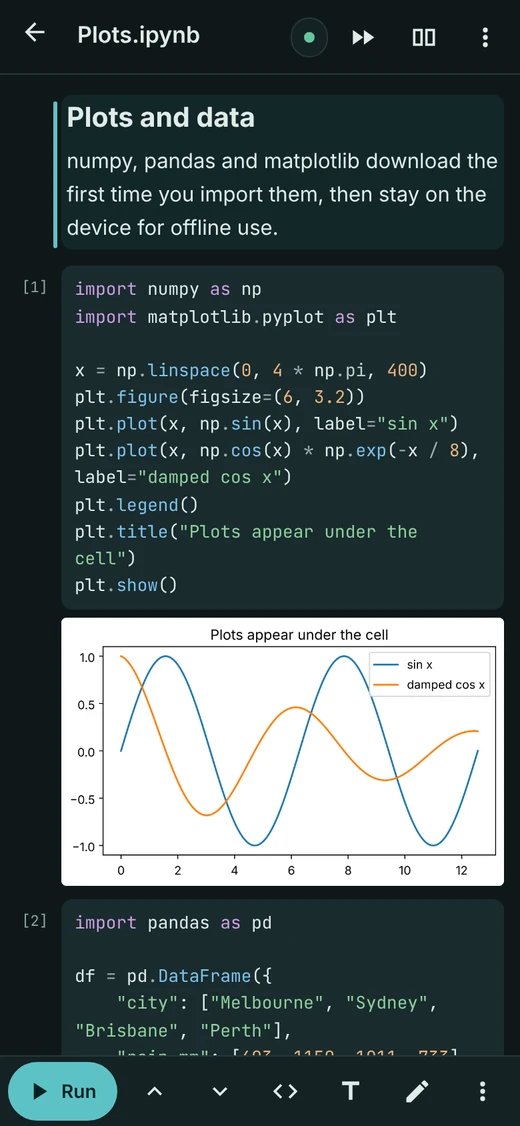
PyNotebook running a notebook: matplotlib code with its sine and cosine plot shown under the cellPyNotebook running a notebook: matplotlib code with its sine and cosine plot shown under the cell

Auto Clicker: see how it works

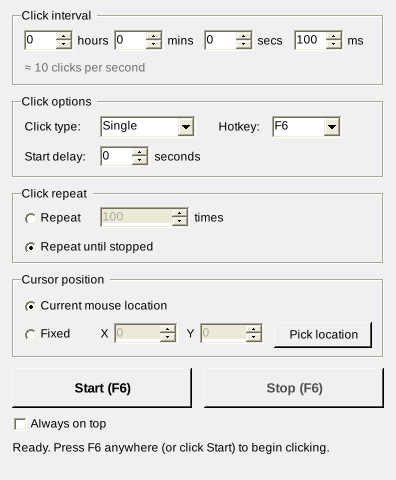
A tiny left-click auto clicker for Windows that starts and stops with one key, from any window.

Why I built it

I made it to click through the questions Claude asks me while it works, so I don't have to sit there and do it myself. It comes in handy for plenty of other things too.

Runs on
Windows 10 and 11 only
Built with
C#, WinForms, Win32 SendInput
Code
787 lines in 1 file
  • C#100%

Windows only. There's no version for Mac, Linux, Android or iPhone.

Auto Clicker set to click every 100 ms, about 10 clicks per second, at the current mouse location, with Start (F6) and Stop (F6) buttons

tymon.website

lines of code in this website itself, across 69 files.

The site you're reading is built the same way as the apps: I decide what it does and how it looks, and Claude writes the code. That covers every page, the four themes, the intro, the Ctrl+K search and the terminal in the hacker theme.

  • TypeScript59%
  • CSS32%
  • Apps Script5%
  • JavaScript4%

Counted every day in the same way as the apps, and not part of their total. Together with them, that's 112,830 lines of code.

More on the way

New apps land on GitHub first. Follow along there to see them before they show up here.

Follow on GitHub