Inside
CyberVault
An encrypted vault for logins, ID numbers, bank cards and document photos, on Windows, Android and the web.
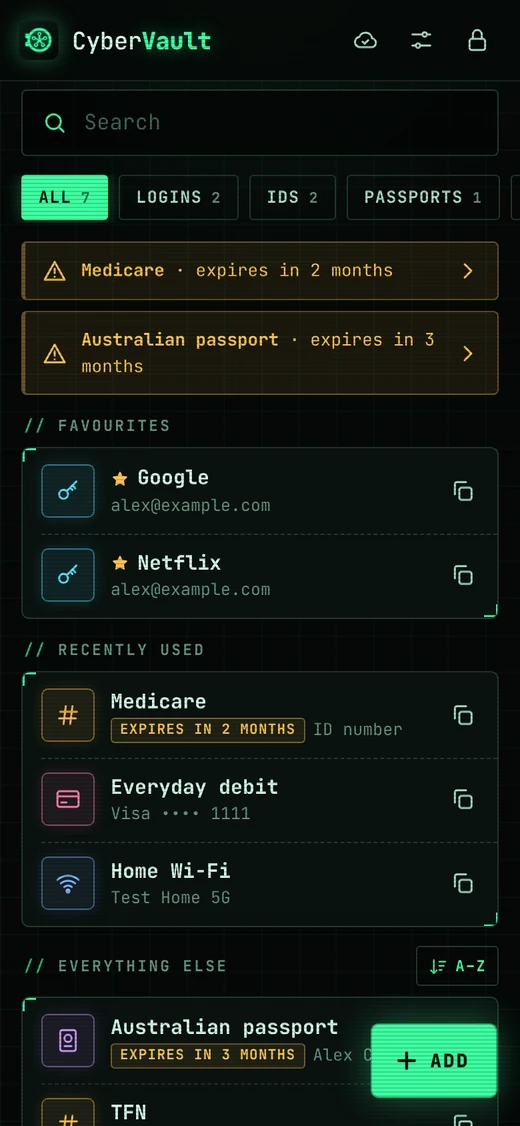
CyberVault keeps your logins, ID numbers, bank cards and photos of documents in one locked place. Everything is scrambled on your own device before it's saved, so only your master password can open it.
Every version needs your own free Firebase project. Setting it up takes about 15 minutes, and the app walks you through it.
Why I built it
A simple, safe place for my passwords and personal details. A lot of people, me included, keep that kind of thing in apps that were never made for it, like Notion, where it's far too easy for someone else to get to.
How it works
- Step 1
Unlock it
Enter your master password. It asks every time, and locks itself when you step away.
- Step 2
Add what matters
Logins, passports, licences, Medicare and bank cards, Wi-Fi networks and notes, with photos.
- Step 3
Locked before it leaves
Everything is scrambled on your device first, so the copy kept online is unreadable to anyone else.
- Step 4
Copy when you need it
Tap to copy any value. The clipboard clears itself after 30 seconds.
What it can do
Expiry warnings
Passports, licences, Medicare and bank cards get a heads-up six months before they run out.
Works offline
Make changes anywhere. They reach your other devices when you're back online.
Hard to lose
A recovery key, backups and a 30-day Recently deleted keep one mistake from losing everything.
Wi-Fi with a QR code
Guests scan it to join your network, so you never read a password out loud.
Private photos
On Android, document photos never touch your gallery, and screenshots are blocked.
Where it runs
- WindowsThe app
- AndroidThe app
- iPhone & iPadAs a web app
- MacAs a web app
Good to know
- You need your own free Google Firebase account. That's where your locked vault is kept, so nobody else, me included, holds your data. Setting it up takes about 15 minutes, and the app walks you through it.
- Only your master password, recovery key or security answers can open the vault. Lose all three and nobody can get it back.
- Logins move to and from Google Password Manager.