

Inside
PyNotebook
Opens Jupyter notebooks and runs their Python on your own phone or computer, with no server.
Notebooks are files that mix notes, charts and Python together, and they're used a lot at uni. PyNotebook opens them and runs them right on your phone or computer, with nothing to set up first.
Why I built it
A quick way to open Python files, Jupyter notebooks and Markdown, without setting anything up first.
How it works
- Step 1
Open a file
A notebook, a Python file or Markdown, from your files or the recent list.
- Step 2
Read it properly
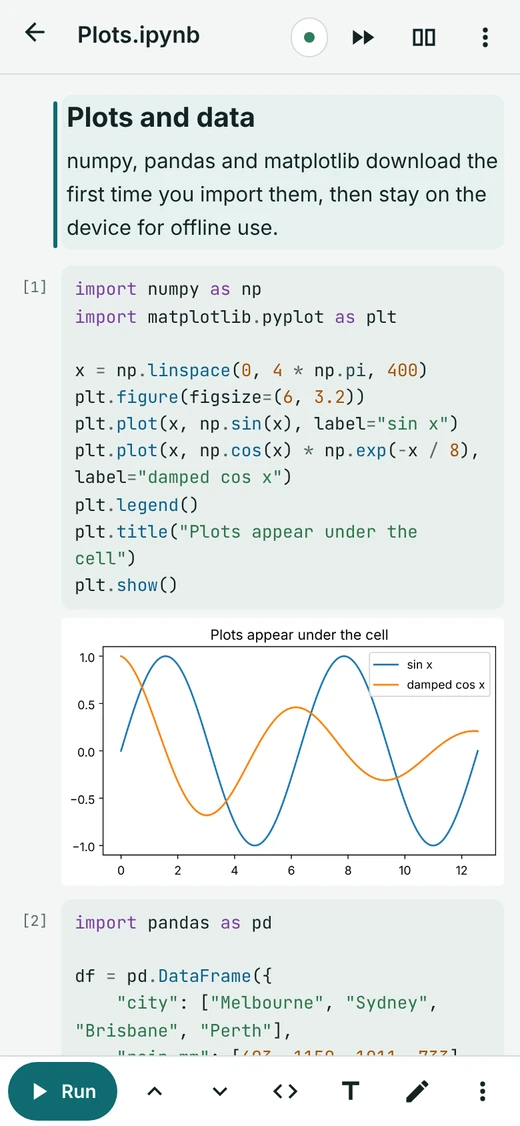
Notes, maths, tables, pictures and saved results look the way they do in Jupyter.
- Step 3
Run it on your device
Tap run and it works right there, even offline. Charts appear right under it.
- Step 4
Get help as you type
Suggestions pop up while you type, and mistakes are marked before you run, often with a one-tap fix.
What it can do
The popular tools, ready
Charts, tables, maths and about 350 other add-ons download the first time you use them.
Up to four at once
Split the screen into up to four notebooks, files or consoles.
Works offline
Python is built into the app, so the basics work with no connection.
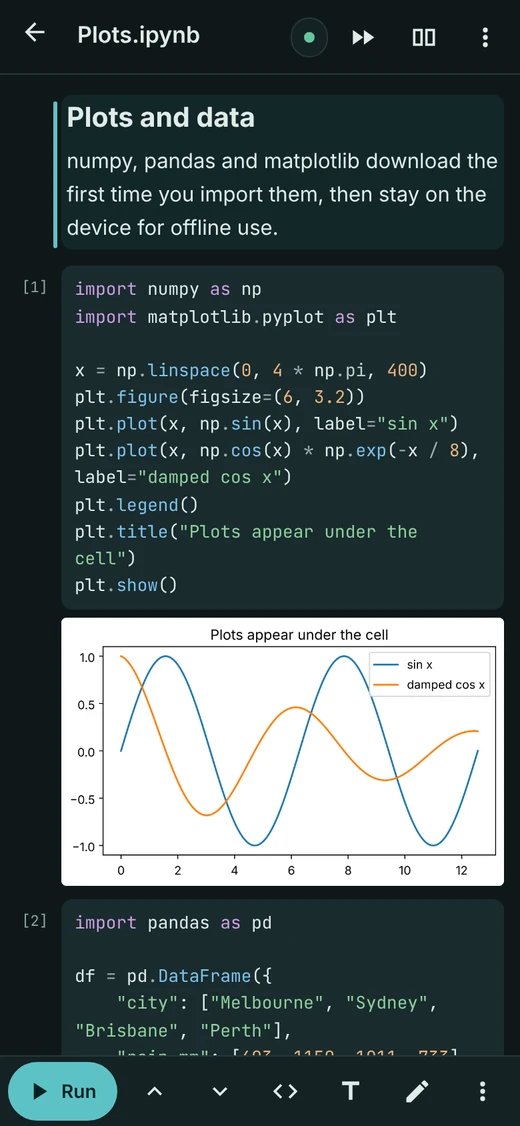
Light or dark
In one of six colours.
Where it runs
- AndroidThe app
- WindowsThe app
- Web browserEdge or Chrome on any computer
Good to know
- There's no server and no account. Everything runs on your own device.
- On a computer it also comes as a single file that opens in Edge or Chrome, with nothing to install.